Companion
Campaign tracker


Campaign tools for Sector AL-IX
Sector AL-IX Companion
Piracy in Hight Altitudes in a GazPulp Universe
Track your Redlight campaign, build crews and mission fleets, manage Underdock 12 districts, cargo, T1 ships and the messy logistics between two battles.

Piracy in Hight Altitudes
Pirates, patrols and bad decisions above the clouds
Sector AL-IX is a tabletop skirmish game about crews, ships and survival above a world where altitude is territory. Pirates, industrial clans, military patrols and strange fauna fight over trade routes, floating docks and black-market opportunities in a dirty retro-futuristic setting: steel decks, gas engines, modular gunships, boarding actions and bad decisions made for good loot.
The range is designed for 3D printing from the ground up: crews, weapons, vehicles and modular ships are made to be collected, kitbashed and expanded as your campaign grows. Sector AL-IX is not just a ruleset beside miniatures; it is a printable universe built around the pleasure of assembling your own fleet.
The game is built for cinematic table moments: ships drift, crews jump between hulls, captains and crews evolve with light RPG-style campaign progression, beasts can be hunted or trained, and campaigns turn each purchase, ransom, district and cargo run into a consequence for the next battle. Sector AL-IX can be played as a persistent campaign in solo or co-op, and now supports multiplayer campaigns in versus mode or with a game master.
Sector AL-IX is available in French and English. This companion keeps the campaign side playable: the Redlight conquest campaign, Underdock 12 districts, crews, mission fleets, T1 ships, black-market cargo, fishing catches and the quiet accounting that keeps a pirate clan alive. For feedback, bugs or ideas about the application, contact me through the official Discord.
Start with Sector AL-IX
Rules and core game bundle
New to Sector AL-IX? Start with the rulebook, then grab the Core Game bundle to print the essential models and begin building your first crew, ships and table-ready fleet.
Audio from the docks
La Voix des Quais
Follow the Sector AL-IX podcast on YouTube, available in French and English, for background, campaign talk and stories from the high-altitude docks.
Open La Voix des Quais Podcast playlist
My Campaigns
No account is required. Your campaigns are saved only in this browser on this device. Use Export to keep a local backup, and Import campaign to restore it after changing browser, device, or after a major app update.
Campaign Turn
Redlight Campaign
Campaign Tracking Sheet - Your Hideout (HQ): Le Nid à Rats
When Mutiny reaches 5, the Mutiny mission must be played next.
Your Treasury
Warehouse
Warehouse quantities are stored resources only. Loading cargo removes resources from this stock. Direct sales here always use the Underdock 12 Black Market sell price.
Fishing Catch
Track fauna caught during Big Game Fishing missions. Sell dead or living beasts for Gold, or tame eligible beasts into your Crew Quarter.
Prison
Ransom
Select hostages to calculate ransom.
Fortification /2
Rivals NPC/Player
Create campaign rivals here. They are reused by the campaign sheet, district ownership and Underdock map markers.
Mooring Ships
Ships are bought from the catalog. Here you can repair, resell, or remove owned ships.
| Ship | HP | Maintenance | Actions |
|---|
Crew Quarter
Units are recruited from the catalog. Wages are calculated from Redlight harbouring rules.
| Unit | Number | LvL | Wage |
|---|
Owned T1 Ships
T1 ships are constructed from bow, stern and modules in the catalog. Cargo can be loaded from the warehouse.
Armoury
Mission Fleet
Create named mission fleets from ships, T1 ships, crew, armoury and warehouse stock already available in Fleet & Crew.
Fleet Restrictions
Restrictions use the fleet captain faction.
Edit Fleet
Ships in Fleet
Unembarked Units
Units listed here join the mission fleet without being assigned aboard a ship.
Conquests
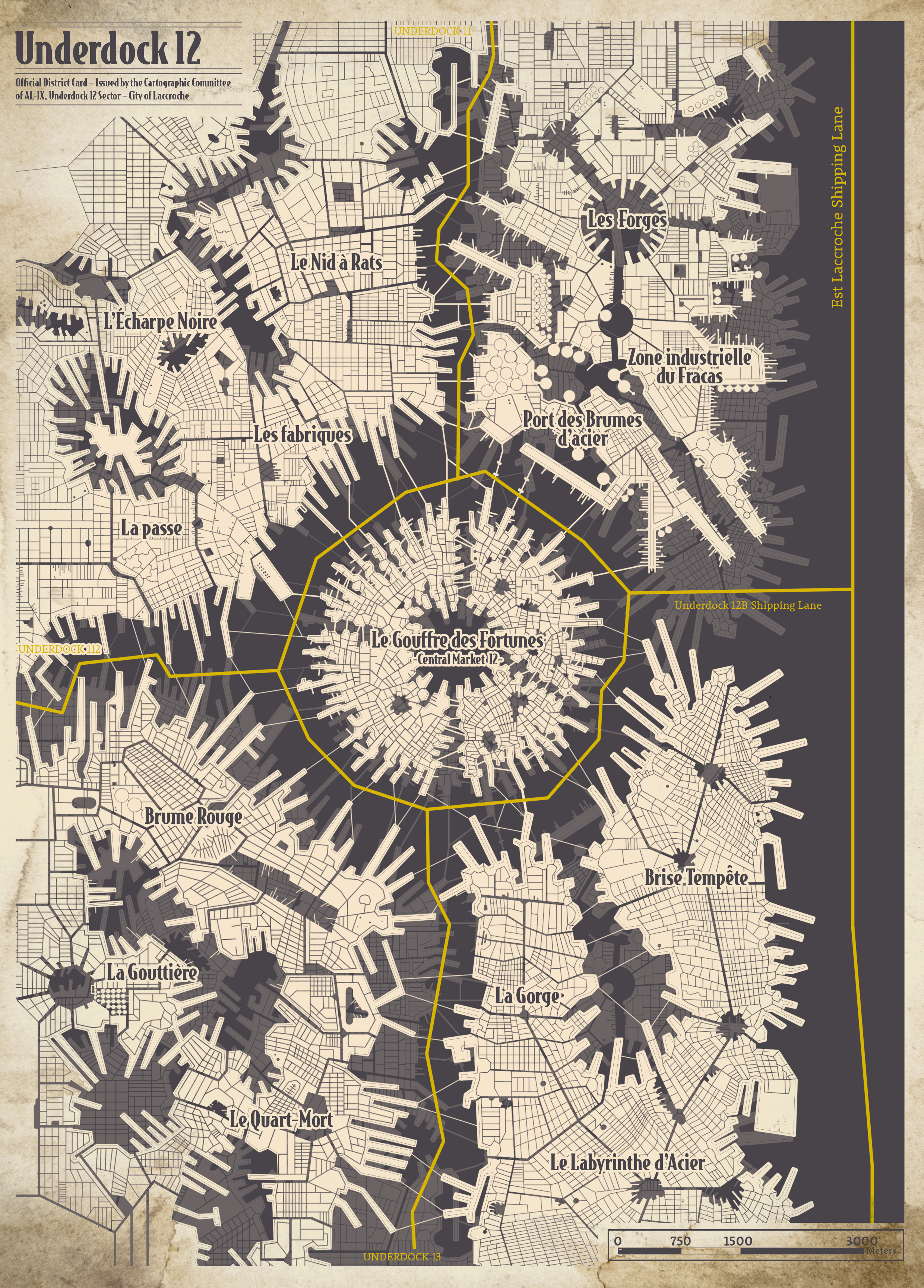
All Underdock 12 districts are listed from campaign start. Assign control manually to your clan or a rival faction.
Black Market
Underdock 12 purchases go to the Warehouse. Purchases from other markets must be loaded directly onto a T1 ship moored at that market.
Underdock 6 Catalog
Buy units, ships and equipment here. Purchases are deducted from treasury and added to the right campaign sheet area.
Arsenal du Palais - Build your T1 Ship
Click one or two compatible hull locations first, then choose a module from the list below. XL modules require two matching central locations; bow and stern modules use their own upper/lower slots.
T1 ships need complete Bow and Stern sections plus at least two complete L Ship Sections. XXL hull modules count as two L modules and may straddle two adjacent L hull sections only when their module rule allows it. A T1 ship can mount 0-4 Super Heavy Weapons. Module resale follows Deadly Horizon buy-back values: XXL 600G, L 300G, Bow 1000G, Stern 1500G, minus 50G per missing hit point on the affected ship section.